

Showing posts with label console. Show all posts
Showing posts with label console. Show all posts
Saturday, May 29, 2010
NAS Server
I found a new program Freenas based upon free BSD that allows you to use an old computer for network storage. It uses hardly any resources you can set it up as a headless server and hide it away in a corner someplace. It took very little time to set it up and get it on line. I have a lot of old hardware sitting around and was going to get another portable hard drive so I thought I would try this and save myself some money. So far so good the firewall seems simple enough as well.This is the web interface to set it up from another computer.


Tuesday, September 8, 2009
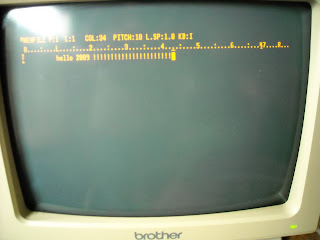
Brother Word Processor
Here is an old Brother word processor I came across and it even still works correctly. The printer even still has ink and functions. I remember back when I took some college classes (87-88) we had something similar to this we had to use.This isn't quite that old, this is circa 1992. I was surprised to see that i can still get ink for this reasonably cheap.



Tuesday, March 3, 2009
Using The Terminal
I know when i first started using linux about 8 or 9 years ago when I had a problem I would turn to forums and I would read a lot. I remember looking at all of peoples information neatly displayed however never knew how to get it myself for about the first year or so. there are several ways to get it but the fasted way I have found is with a Terminal and the DMESG command since you can do it without root permissions and such.
CPU0: Intel(R) Pentium(R) D CPU 3.00GHz stepping 07 Booting processor 1/1 ip 6000 Initializing CPU#1 Calibrating delay using timer specific routine.. 5999.15 BogoMIPS (lpj=2999575) CPU: Trace cache: 12K uops, L1 D cache: 16K CPU: L2 cache: 1024K CPU: Physical Processor ID: 0 CPU: Processor Core ID: 1 Intel machine check architecture supported. Intel machine check reporting enabled on CPU#1. CPU1: Intel P4/Xeon Extended MCE MSRs (24) available CPU1: Thermal monitoring enabled x86 PAT enabled: cpu 1, old 0x7040600070406, new 0x7010600070106 CPU1: Intel(R) Pentium(R) D CPU 3.00GHz stepping 07 checking TSC synchronization [CPU#0 -> CPU#1]: Measured 1095 cycles TSC warp between CPUs, turning off TSC clock.
this is an example of what you will get of course you will get a lot more information than this I just took out some of the information on my cpu for everyone to see.
 Using the terminal scares a lot of people but you should get used to it and take advantage of it it is a very powerful tool that can actually save you a lot of time. when I use Ubuntu I almost never use the GUI for updates and do an [apt-get update] from the console. Just be careful and know what you are doing when using a Terminal in root because you can damage your system.
CPU0: Intel(R) Pentium(R) D CPU 3.00GHz stepping 07 Booting processor 1/1 ip 6000 Initializing CPU#1 Calibrating delay using timer specific routine.. 5999.15 BogoMIPS (lpj=2999575) CPU: Trace cache: 12K uops, L1 D cache: 16K CPU: L2 cache: 1024K CPU: Physical Processor ID: 0 CPU: Processor Core ID: 1 Intel machine check architecture supported. Intel machine check reporting enabled on CPU#1. CPU1: Intel P4/Xeon Extended MCE MSRs (24) available CPU1: Thermal monitoring enabled x86 PAT enabled: cpu 1, old 0x7040600070406, new 0x7010600070106 CPU1: Intel(R) Pentium(R) D CPU 3.00GHz stepping 07 checking TSC synchronization [CPU#0 -> CPU#1]: Measured 1095 cycles TSC warp between CPUs, turning off TSC clock.
this is an example of what you will get of course you will get a lot more information than this I just took out some of the information on my cpu for everyone to see.
 Using the terminal scares a lot of people but you should get used to it and take advantage of it it is a very powerful tool that can actually save you a lot of time. when I use Ubuntu I almost never use the GUI for updates and do an [apt-get update] from the console. Just be careful and know what you are doing when using a Terminal in root because you can damage your system.
Subscribe to:
Posts (Atom)